Weddings
Updated · October 20, 2026
Wedding Dance Video Generator
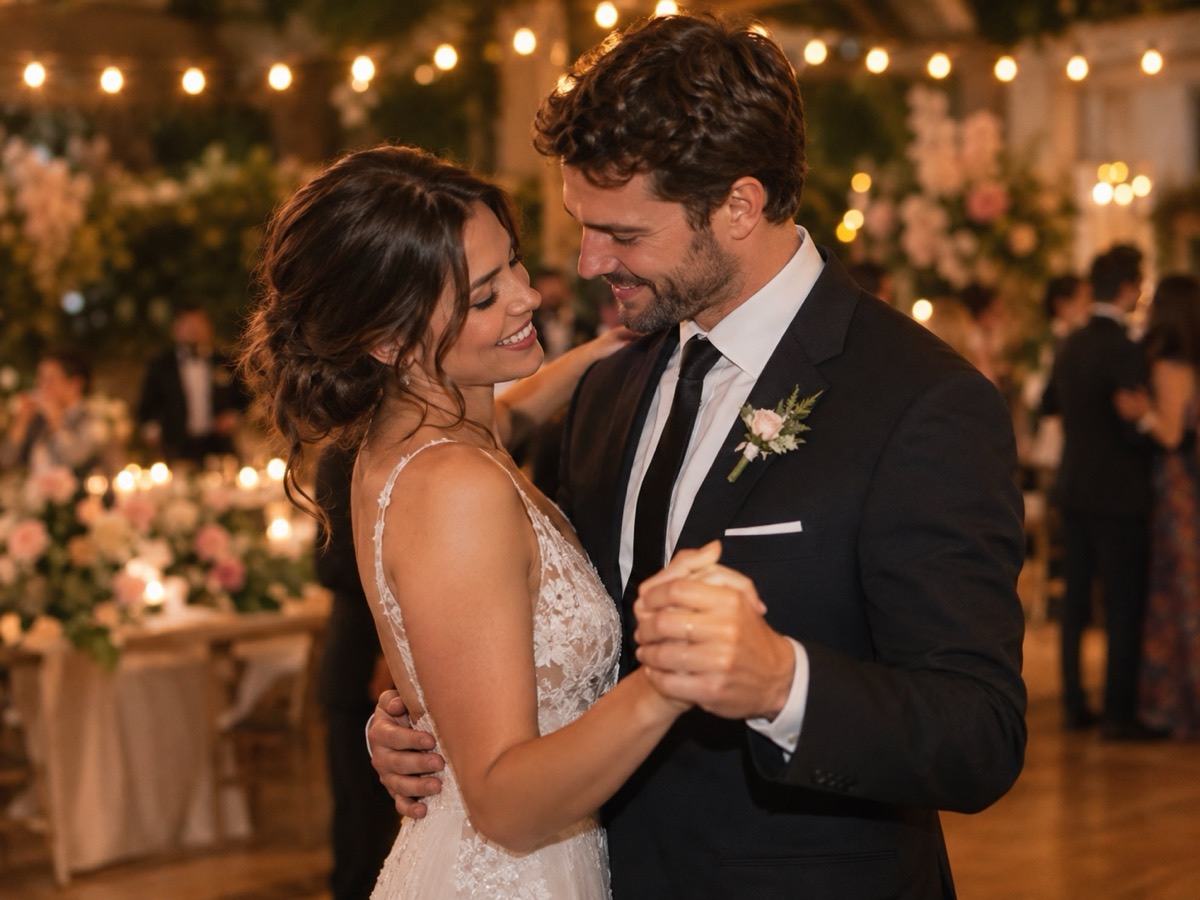
A wedding dance clip is a creative preview, not a replacement for a videographer. It takes two adult photos, places the couple on a warm reception dance floor, and animates a short partner dance. Use it for a save-the-date teaser, a thank-you post or a bit of fun during planning — and label it clearly as AI-generated.
- Reception dance floor with bistro lights and florals.
- Two adult photos, one person per photo.
- Eight-second silent vertical MP4.
- A creative preview, not documentary wedding footage.
Create your dance video
The wedding preset uses warm bistro lights and soft florals for a reception mood.
Your Smalltown Boy AI dance studio
Choose a retro stage, solo, or birthday scene. Upload one or two adult portraits. Each sample shows that scene; your result will vary.
JPG, PNG or WebP · up to 10 MB
Choose a clear, well-lit adult portrait with one person in each photo. Keep the face, hair and outfit visible.
Extra direction (optional)
A public result may be selected for the gallery after review. Uploaded photos stay private.
$9.90/ 1 video
50 credits · 8 secondsOne-time packs and optional subscriptions. Failed generation returns its credits.
Your videos
Choose a mood above. Your completed videos will appear here.
How it works
- 1Upload one adult photo for a solo clip, or two for a duet. JPG, PNG and WebP up to 10 MB each.
- 2Keep the scene preset or add your own direction, then confirm you have permission from everyone shown.
- 3Sign in and generate an 8-second, 720p vertical MP4. Failed jobs return the reserved credits.
What a preview clip is good for
Before the wedding, a short clip can set the visual mood for a save-the-date or a planning chat. After the wedding, it can be a playful thank-you post alongside real photos. It is not evidence that a first dance happened, and it should never be presented as a recording of the event. Keep the caption honest: “an AI dance preview we made for fun” is clearer than a caption that implies a camera was in the room.
A photo checklist for the couple
Use one clear photo per person, ideally from the same occasion and with similar light. Avoid a professional portrait paired with a dark phone snapshot; the mismatch shows in skin tone and sharpness. Full-body photos give the model room for a sway and a turn. If one partner is wearing a very reflective dress or a busy veil, expect some shimmer. A simple background in the source photo makes the reception scene easier to build.
Sharing it with guests
The output is silent, so add a licensed track before posting. Keep the clip short and do not imply that a venue, band or planner produced it. If you share it in a group chat, say that it is AI-generated. For a public post, avoid using a photographer's image as the input without permission; the photographer may own the copyright even though the couple is in the frame.
What this tool does not do
- It does not add music. The MP4 is silent; you add licensed audio in your own editor.
- It does not guarantee an exact likeness. Faces, hands and small details can change.
- It does not accept minors, public figures or anyone who has not consented.
- It does not reproduce a named celebrity, film character or copyrighted routine.
Price at a glance
- 1 video — $9.90
- 3 videos — $19.90
- 5 videos — $29.90
- Monthly, 10 videos — $39.90
- Yearly, 40 videos — $129.90
Prices in USD. One finished video uses 50 credits. Failed jobs return the reserved credits.
Questions people ask
Can this replace a wedding videographer?
No. It creates an eight-second synthetic dance clip from photos. It is not a recording of your event and cannot capture vows, speeches or real guests.
Can I use our engagement photos?
Only if you have the right to use them. A photographer usually owns the copyright. Ask for permission before uploading a professional image.
Can we both be in the clip?
Yes, upload one photo per person. Both adults must consent. Similar lighting and framing help the duet look natural.
Does it include our first-dance song?
No. The MP4 is silent. Add a licensed track in your editor; do not attach a commercial recording without permission.
How much does it cost?
Fifty credits per finished video, with a $9.90 entry pack. Failed jobs return the reserved credits.
Can we share it publicly?
Yes, if both people consent and you label it as AI-generated. Do not present it as real wedding footage.