General generator
Updated · October 20, 2026
AI Dance Video Generator
This is the straight path: upload one or two photos of consenting adults, choose a stage, and generate a short vertical dance clip. There is no avatar library and no face swap of a celebrity. The model animates the people in your photos, keeps the framing full-body, and returns a silent eight-second MP4 you can download.
- One photo for a solo clip, two for a duet.
- Eight seconds, 720p, 9:16 vertical, no audio track.
- A scene preset plus an optional direction field for motion.
- 50 credits per finished video; failed jobs return credits.
Create your dance video
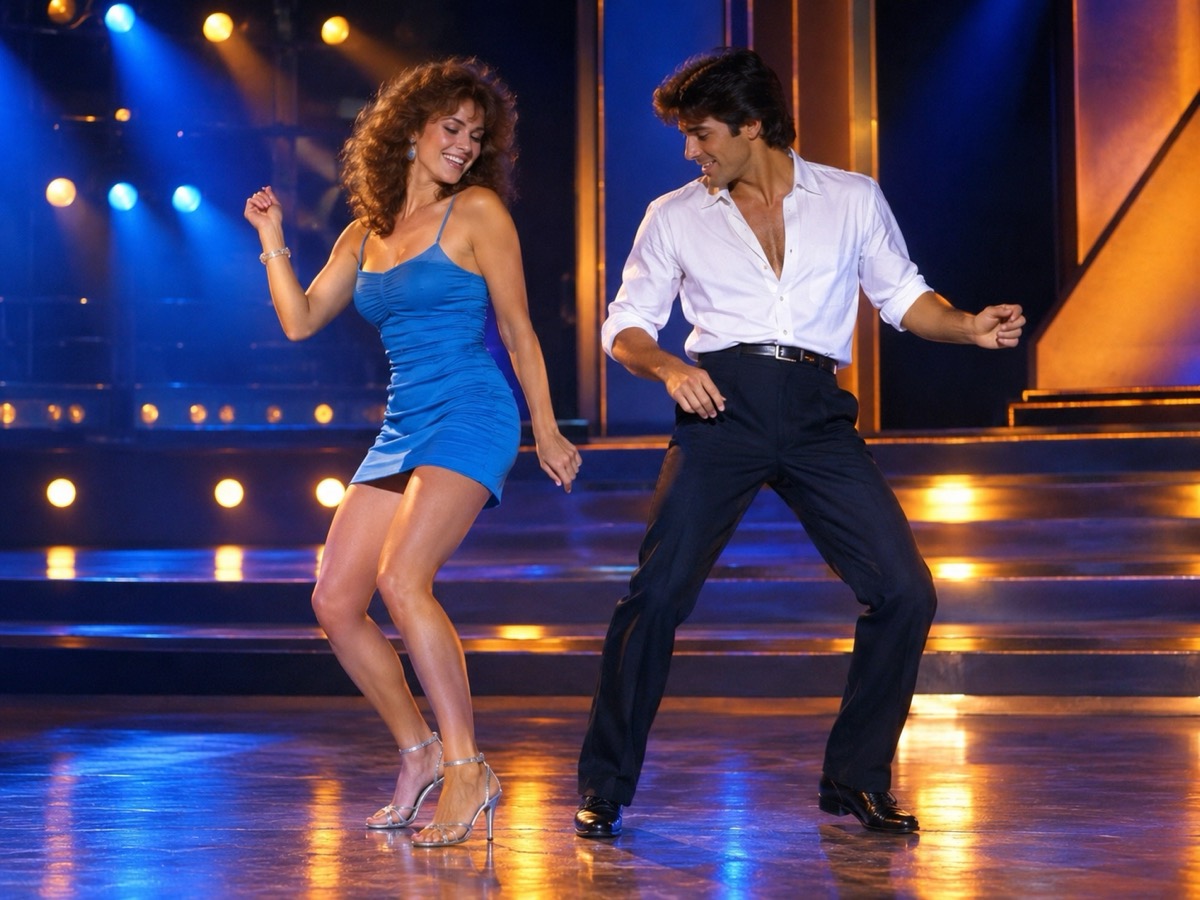
The default preset keeps both dancers in a full-body, straight-on frame so the choreography stays readable.
Your Smalltown Boy AI dance studio
Choose a retro stage, solo, or birthday scene. Upload one or two adult portraits. Each sample shows that scene; your result will vary.
JPG, PNG or WebP · up to 10 MB
Choose a clear, well-lit adult portrait with one person in each photo. Keep the face, hair and outfit visible.
Extra direction (optional)
A public result may be selected for the gallery after review. Uploaded photos stay private.
$9.90/ 1 video
50 credits · 8 secondsOne-time packs and optional subscriptions. Failed generation returns its credits.
Your videos
Choose a mood above. Your completed videos will appear here.
How it works
- 1Upload one adult photo for a solo clip, or two for a duet. JPG, PNG and WebP up to 10 MB each.
- 2Keep the scene preset or add your own direction, then confirm you have permission from everyone shown.
- 3Sign in and generate an 8-second, 720p vertical MP4. Failed jobs return the reserved credits.
What the generator actually does
The service sends your photos and a motion prompt to a hosted video model. The model produces an original dance rather than copying a named routine. It is good at readable full-body movement, simple side steps, shoulder rolls and a turn toward the camera. It is not a replacement for a choreographer: hands, feet and exact facial details can drift, especially when the source photo is small, blurry or cropped. Treat each clip as a short creative loop, not a guaranteed likeness.
Choose a scene before you upload
The scene preset changes the stage, lighting and mood. The 80s stage gives you a blue-and-amber retro set; the birthday set adds warm streamers and a party feel. You can add a short direction such as “slow shoulder groove” or “one step back, then a four-count arm sequence.” Keep directions about movement and framing. Naming a real celebrity, a copyrighted character or a specific music video tends to produce a worse result and may be rejected by moderation.
Price, credits and delivery
A finished video costs 50 credits. The one-time packs are $9.90 for one video, $19.90 for three and $29.90 for five; monthly and yearly plans are also listed on the pricing page. Registration does not grant free credits, so you always know what you are buying before a job starts. Generation is asynchronous: you can leave the page and come back. If the provider fails, the reserved credits are returned and the job is marked failed rather than silently charging you.
What this tool does not do
- It does not add music. The MP4 is silent; you add licensed audio in your own editor.
- It does not guarantee an exact likeness. Faces, hands and small details can change.
- It does not accept minors, public figures or anyone who has not consented.
- It does not reproduce a named celebrity, film character or copyrighted routine.
Price at a glance
- 1 video — $9.90
- 3 videos — $19.90
- 5 videos — $29.90
- Monthly, 10 videos — $39.90
- Yearly, 40 videos — $129.90
Prices in USD. One finished video uses 50 credits. Failed jobs return the reserved credits.
Questions people ask
Is the AI dance video generator free?
No. Registration does not include free credits. One finished video uses 50 credits, and the one-time entry pack is $9.90. Failed generations return the reserved credits.
How many photos do I need?
One clear photo for a solo clip, two for a duet. Use JPG, PNG or WebP up to 10 MB each. Each photo should show one consenting adult, with the full body visible if possible.
How long is the finished clip?
Eight seconds. It is a 720p vertical MP4 in a 9:16 frame with no audio track. You add licensed music or voiceover in your own editor.
Will the result look exactly like the people in my photos?
It keeps the overall appearance and clothing, but it is not a guaranteed likeness. Faces, hands and small details can change. Clear, evenly lit photos produce a more consistent result.
Can I use the clip commercially?
You are responsible for the photos, the people shown and how you publish the result. Only upload adults who have given permission. Do not imply that a real celebrity, brand or copyrighted routine endorses the clip.
What happens if generation fails?
The job is marked failed and the reserved credits are returned. You can retry with the same photos or adjust the direction. You are not charged twice for the same failed job.