Two photos
Updated · October 20, 2026
Couple Dance Video Generator
A couple clip needs two things at once: both people must stay recognizable, and the movement must read as one shared dance. The generator accepts two adult photos, places both people in the same scene, and produces an eight-second vertical clip. This page explains how to choose the two photos so the result looks like a duet rather than two separate animations stitched together.
- Two separate adult photos, one person per photo.
- Similar lighting and framing help the match.
- Both people must consent to the synthetic clip.
- Eight seconds, 720p, silent vertical MP4.
Create your dance video
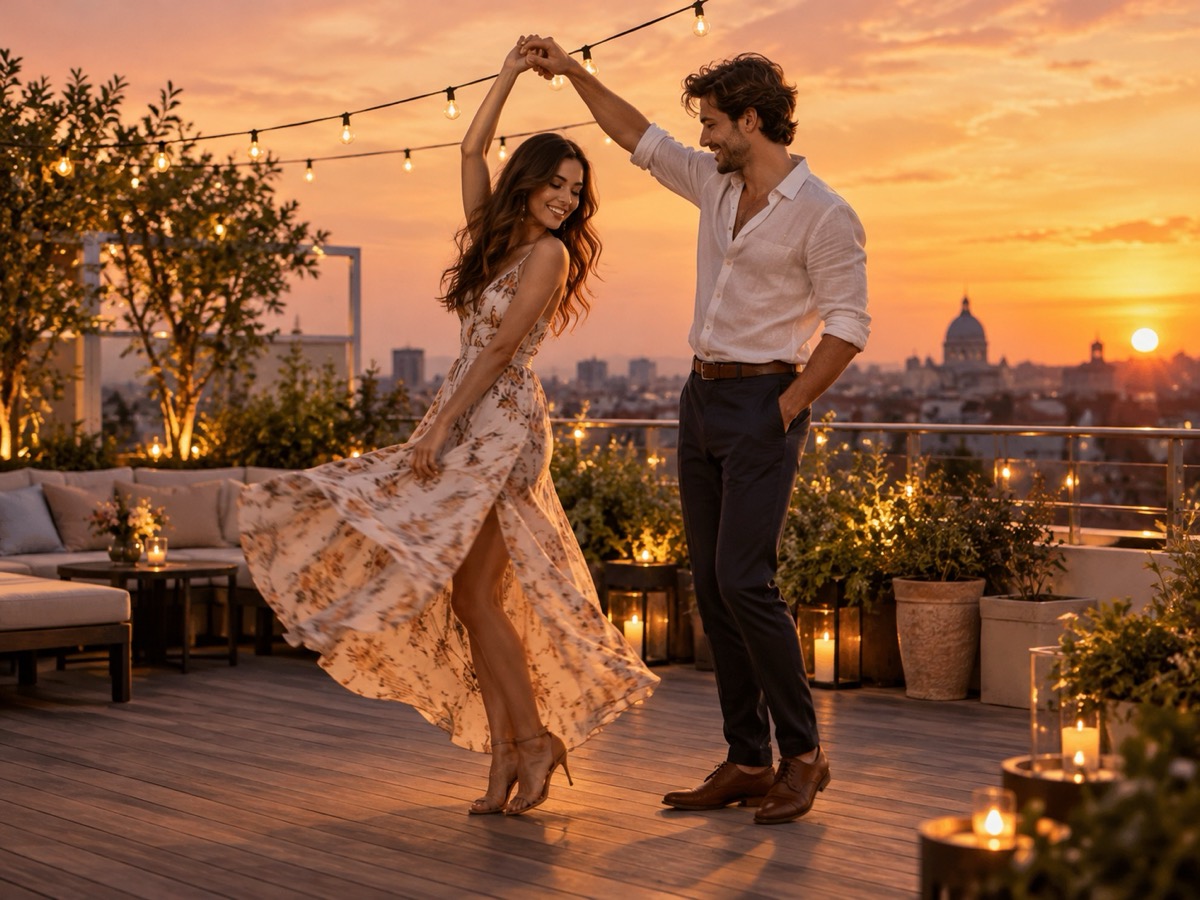
The couple preset uses a warm rooftop and keeps both dancers in frame for the full eight seconds.
Your Smalltown Boy AI dance studio
Choose a retro stage, solo, or birthday scene. Upload one or two adult portraits. Each sample shows that scene; your result will vary.
JPG, PNG or WebP · up to 10 MB
Choose a clear, well-lit adult portrait with one person in each photo. Keep the face, hair and outfit visible.
Extra direction (optional)
A public result may be selected for the gallery after review. Uploaded photos stay private.
$9.90/ 1 video
50 credits · 8 secondsOne-time packs and optional subscriptions. Failed generation returns its credits.
Your videos
Choose a mood above. Your completed videos will appear here.
How it works
- 1Upload one adult photo for a solo clip, or two for a duet. JPG, PNG and WebP up to 10 MB each.
- 2Keep the scene preset or add your own direction, then confirm you have permission from everyone shown.
- 3Sign in and generate an 8-second, 720p vertical MP4. Failed jobs return the reserved credits.
How two-photo matching works
The model receives two reference images and a scene description. It tries to preserve each person's face, hair and outfit while generating a shared stage and synchronized movement. Matching is easier when both photos have similar light direction, similar distance from the camera and a clear view of the upper body. A dark indoor photo paired with a bright outdoor photo often produces inconsistent skin tones, so convert both images to a similar exposure before uploading if you can.
Poses that survive a duet
Choose photos where both people are facing the camera or turned only slightly. Avoid photos where one person is partially hidden, sitting behind the other, or holding an object across the body. Full-body photos give the model room for footwork; waist-up photos produce a calmer sway. If one person is much taller or the photos use very different focal lengths, expect the scale to need a retry.
Ideas for a couple clip
Use the sunset rooftop preset for an anniversary post, the 80s stage for a playful retro clip, or the birthday set for a joint celebration. Keep the direction short: “relaxed partner sway, then turn toward the camera.” For a wedding or engagement announcement, treat the clip as a creative preview rather than documentary footage. It is not a substitute for a real videographer, and it should not be presented as proof that a real event happened.
What this tool does not do
- It does not add music. The MP4 is silent; you add licensed audio in your own editor.
- It does not guarantee an exact likeness. Faces, hands and small details can change.
- It does not accept minors, public figures or anyone who has not consented.
- It does not reproduce a named celebrity, film character or copyrighted routine.
Price at a glance
- 1 video — $9.90
- 3 videos — $19.90
- 5 videos — $29.90
- Monthly, 10 videos — $39.90
- Yearly, 40 videos — $129.90
Prices in USD. One finished video uses 50 credits. Failed jobs return the reserved credits.
Questions people ask
Can the tool keep both faces consistent?
It tries, but it cannot guarantee an exact likeness. Similar lighting, similar framing and clear faces improve consistency. Expect small changes in hands and profile angles.
Can I use photos of two different people?
Only if both adults have given permission. Do not combine a photo of a public figure with a private person, and do not upload anyone who has not consented.
What if one photo is much brighter than the other?
The result may have uneven skin tones or shadows. Adjust both photos to a similar exposure before uploading, or retake one photo in softer light.
Can I make a couple clip with one photo?
No. A duet needs two separate photos, one person per photo. A single photo produces a solo clip.
How long does a couple clip take?
Generation is asynchronous and depends on provider load. You can leave the page and return; the job keeps running. Most clips are ready within a few minutes.
Can I add our song?
The generated MP4 is silent. Add a licensed song in your editor. Do not use a commercial recording you do not have rights to.