Seasonal · Christmas
Updated · October 20, 2026
Christmas Dance Video Generator
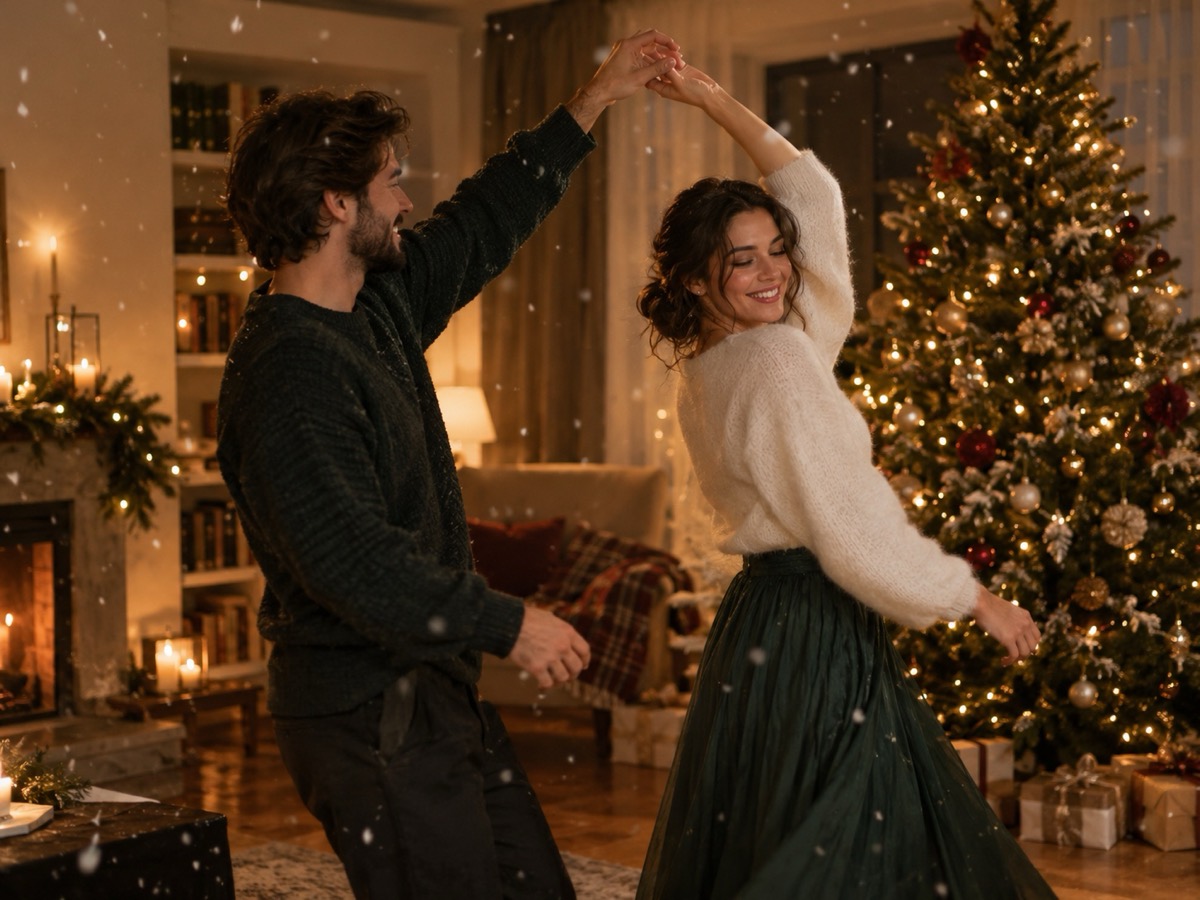
Holiday posts are crowded with static photos. A short dance clip gives a couple or two friends a warmer, more shareable format. The Christmas preset places the dancers in a cozy living room with a decorated tree, warm fairy lights and softly falling paper snow. It is an original scene, not a recreation of a holiday film.
- Cozy living-room stage with tree and fairy lights.
- Great for couples, friends and holiday cards.
- Eight-second silent vertical MP4.
- Order before the holiday rush; queues grow in December.
Create your dance video
The Christmas preset adds a decorated tree, warm fairy lights and falling paper snow.
Your Smalltown Boy AI dance studio
Choose a retro stage, solo, or birthday scene. Upload one or two adult portraits. Each sample shows that scene; your result will vary.
JPG, PNG or WebP · up to 10 MB
Choose a clear, well-lit adult portrait with one person in each photo. Keep the face, hair and outfit visible.
Extra direction (optional)
A public result may be selected for the gallery after review. Uploaded photos stay private.
$9.90/ 1 video
50 credits · 8 secondsOne-time packs and optional subscriptions. Failed generation returns its credits.
Your videos
Choose a mood above. Your completed videos will appear here.
How it works
- 1Upload one adult photo for a solo clip, or two for a duet. JPG, PNG and WebP up to 10 MB each.
- 2Keep the scene preset or add your own direction, then confirm you have permission from everyone shown.
- 3Sign in and generate an 8-second, 720p vertical MP4. Failed jobs return the reserved credits.
Holiday scenes that read clearly
December content is visually busy: lights, ornaments, wrapping paper and snow. A good clip keeps the people as the brightest, sharpest element. Wear a solid color or a simple knit rather than a busy novelty print, because small patterns flicker between frames. If you want a specific color theme, describe it in the direction field — “warm white lights, deep green and cream” — instead of naming a brand or a movie set.
Making a family or couple clip
The tool accepts up to two adults per clip. For a family, make a couple clip for the adults and separate solo clips for anyone else, then combine them in an editor. Everyone shown must have given permission. Do not upload children. A calm sway, a shared look and a small wave work better than a complex group dance, and they keep both faces readable at the vertical crop.
Planning around the holiday calendar
Generation is asynchronous and can take several minutes. Make your clip before the week of December 25 so a retry is still possible. The output is silent, so choose a licensed holiday track and add it in your editor. If the clip is a gift, export it early enough to put it in a card or a message. Do not promise a live event replay; this is a synthetic performance, and it should be labeled as AI-generated when shared.
What this tool does not do
- It does not add music. The MP4 is silent; you add licensed audio in your own editor.
- It does not guarantee an exact likeness. Faces, hands and small details can change.
- It does not accept minors, public figures or anyone who has not consented.
- It does not reproduce a named celebrity, film character or copyrighted routine.
Price at a glance
- 1 video — $9.90
- 3 videos — $19.90
- 5 videos — $29.90
- Monthly, 10 videos — $39.90
- Yearly, 40 videos — $129.90
Prices in USD. One finished video uses 50 credits. Failed jobs return the reserved credits.
Questions people ask
Can I make a Christmas card video?
Yes. A short clip can be sent in a message or posted with a holiday greeting. Label it as AI-generated and use music you have the right to share.
Can I include children in the clip?
No. The service is limited to consenting adults. Do not upload photos of minors, even with a parent's permission.
Does the clip include Christmas music?
No. The MP4 is silent. Add a licensed track in your editor. Commercial holiday recordings are usually protected by copyright.
How early should I generate it?
Several days before you need it. December queues can be longer, and you may want one retry if a hand or face drifts.
Can I use two different photos?
Yes, one adult per photo. Similar lighting and framing make the duet look more natural.
What does it cost?
One finished video uses 50 credits. The entry pack is $9.90. Registration does not include free credits.