Seasonal · New Year
Updated · October 20, 2026
New Year Dance Video Generator
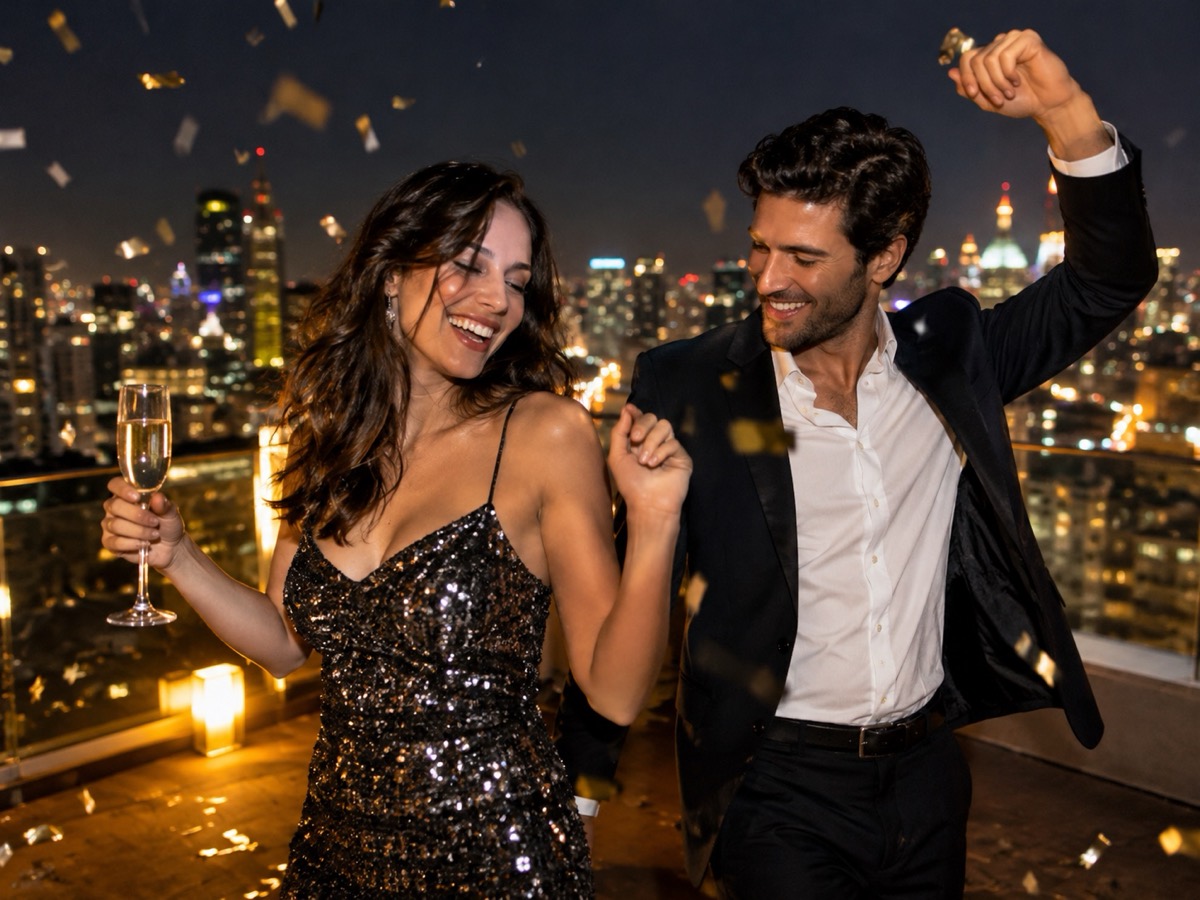
New Year posts need energy and a clear timestamp. This preset puts two adults on a rooftop with city lights, confetti and a warm countdown glow, then animates an eight-second dance. It is a party clip for a story or a feed post, not a live countdown stream.
- Rooftop scene with city lights and confetti.
- Two adult photos for a duet.
- Eight-second vertical MP4, no audio.
- Generate before December 31 to leave time for a retry.
Create your dance video
The New Year preset adds city lights, confetti and a warm countdown glow.
Your Smalltown Boy AI dance studio
Choose a retro stage, solo, or birthday scene. Upload one or two adult portraits. Each sample shows that scene; your result will vary.
JPG, PNG or WebP · up to 10 MB
Choose a clear, well-lit adult portrait with one person in each photo. Keep the face, hair and outfit visible.
Extra direction (optional)
A public result may be selected for the gallery after review. Uploaded photos stay private.
$9.90/ 1 video
50 credits · 8 secondsOne-time packs and optional subscriptions. Failed generation returns its credits.
Your videos
Choose a mood above. Your completed videos will appear here.
How it works
- 1Upload one adult photo for a solo clip, or two for a duet. JPG, PNG and WebP up to 10 MB each.
- 2Keep the scene preset or add your own direction, then confirm you have permission from everyone shown.
- 3Sign in and generate an 8-second, 720p vertical MP4. Failed jobs return the reserved credits.
A countdown scene without a countdown clock
The preset suggests celebration rather than displaying a literal timer. That is deliberate: a generated clock face often produces garbled digits. If you need a specific year on screen, add it as text in your editor after export, where you control the font and placement. Keep the direction focused on movement — “raise a glass, then a quick side step” — and leave the typography to the edit.
Photos that suit a night scene
A rooftop scene is darker than a studio, so start with photos that are sharp and not underexposed. If both photos were taken in similar indoor light, the model has an easier time matching skin tones. Avoid flash photos with hard shadows; they tend to produce a cut-out look against the city background. A three-quarter or full-body photo gives the confetti and lights room to frame the dancers.
Posting a New Year clip
The natural window is December 30 to January 1, so generate early. The clip is silent; add a licensed track and keep the edit short. Label the post as AI-generated, especially if it looks like a real party. Do not imply that a venue, brand or public event hosted the scene. If you are making a recap, pair the synthetic clip with real photos rather than presenting it as documentary footage.
What this tool does not do
- It does not add music. The MP4 is silent; you add licensed audio in your own editor.
- It does not guarantee an exact likeness. Faces, hands and small details can change.
- It does not accept minors, public figures or anyone who has not consented.
- It does not reproduce a named celebrity, film character or copyrighted routine.
Price at a glance
- 1 video — $9.90
- 3 videos — $19.90
- 5 videos — $29.90
- Monthly, 10 videos — $39.90
- Yearly, 40 videos — $129.90
Prices in USD. One finished video uses 50 credits. Failed jobs return the reserved credits.
Questions people ask
Can I put “2027” on the video?
Add the year as text in your editor after export. Generated text and clock faces are often distorted, so the preset avoids them.
Can I make a New Year clip alone?
Yes. One photo produces a solo clip. The rooftop preset still works, but the duet version is the default because it fills the frame better.
Does it include music or fireworks audio?
No. The MP4 is silent. Add licensed music or sound effects in your editor.
How close to New Year can I order?
Generate several days early. Seasonal queues grow, and you may want a retry. There is no guaranteed delivery deadline.
Can I use a photo from a real party?
Yes, if every adult in the photo has consented to an AI-generated clip. Do not upload people who have not agreed.
What does one clip cost?
Fifty credits, with a $9.90 entry pack. Failed jobs return the reserved credits.