TikTok
Updated · October 20, 2026
TikTok Dance Video Generator
TikTok is a vertical, sound-on platform, but this tool exports a silent 9:16 clip. That is not a flaw; it is a handoff. You get a clean eight-second visual loop from one adult photo, then add a licensed sound inside TikTok, where the music is cleared for the platform. This page explains how to make the clip work in that workflow.
- Native 9:16 vertical export at 720p.
- One adult photo, full-body framing.
- Silent MP4; add licensed sound in TikTok.
- Label the post as AI-generated.
Create your dance video
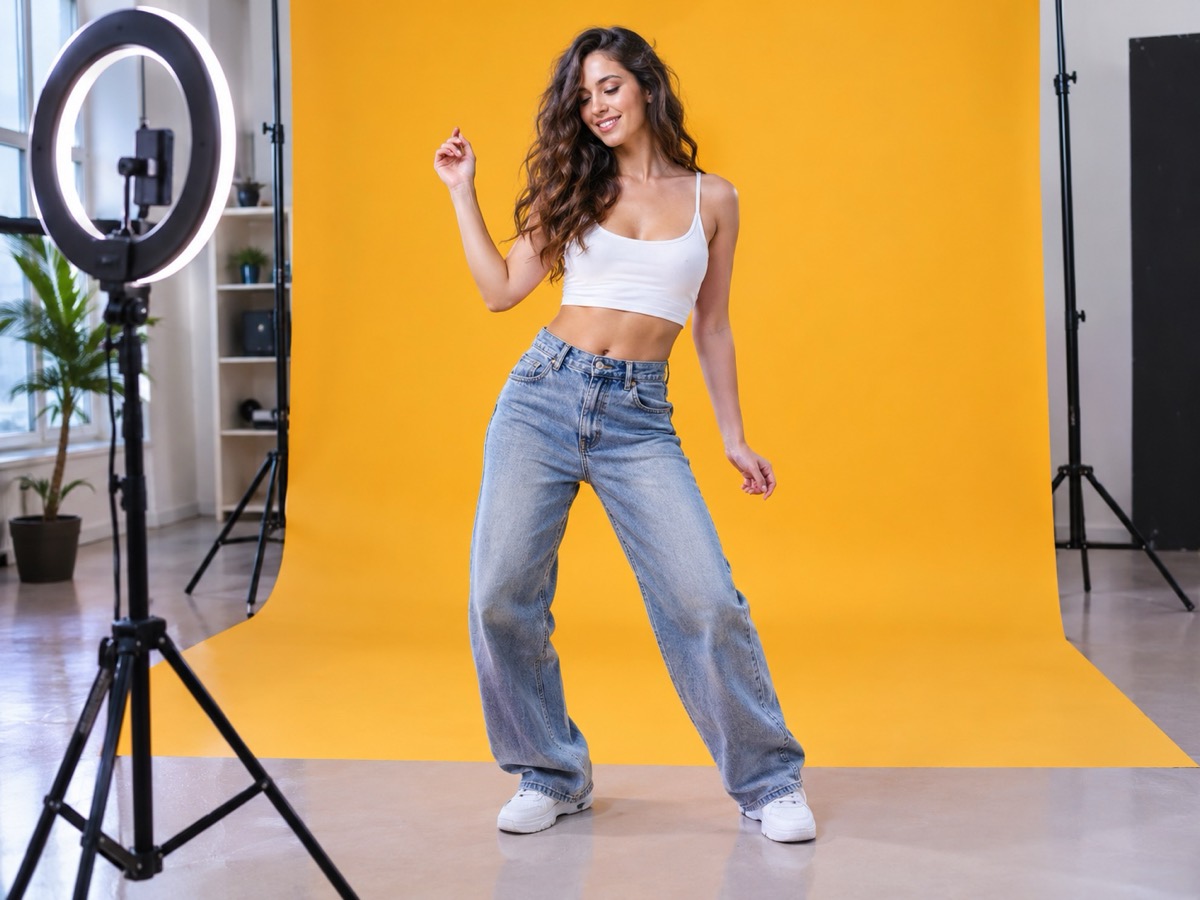
The TikTok preset uses a bright creator studio, a ring light and a clean full-body frame.
Your Smalltown Boy AI dance studio
Choose a retro stage, solo, or birthday scene. Upload one or two adult portraits. Each sample shows that scene; your result will vary.
JPG, PNG or WebP · up to 10 MB
Choose a clear, well-lit adult portrait with one person in each photo. Keep the face, hair and outfit visible.
Extra direction (optional)
A public result may be selected for the gallery after review. Uploaded photos stay private.
$9.90/ 1 video
50 credits · 8 secondsOne-time packs and optional subscriptions. Failed generation returns its credits.
Your videos
Choose a mood above. Your completed videos will appear here.
How it works
- 1Upload one adult photo for a solo clip, or two for a duet. JPG, PNG and WebP up to 10 MB each.
- 2Keep the scene preset or add your own direction, then confirm you have permission from everyone shown.
- 3Sign in and generate an 8-second, 720p vertical MP4. Failed jobs return the reserved credits.
Why the vertical frame matters
TikTok crops aggressively around the interface. Keep the dancer centered and leave space at the top and bottom for captions and buttons. A full-body photo with the person occupying the middle third of the frame survives the crop better than a wide group shot. The preset uses a bright creator studio with a ring light and a bold backdrop, which gives the subject a clean edge against the background.
Hooks that work in eight seconds
The clip is short, so one clear beat is enough: a step toward the camera, a shoulder roll, a turn on the last beat. Do not try to tell a story. If you are pairing the clip with a trend, keep the visual generic enough that it does not depend on a specific sound. A text overlay added in TikTok can carry the joke or the context, and it stays readable because you control the font.
Disclosure, music and repeatable output
Use TikTok's AI-generated content label when you upload. The visual is synthetic even if the person is real. Add a sound from TikTok's licensed library rather than ripping a commercial track. If you want a series, keep the same photo, backdrop and direction so episodes feel consistent. Do not upload a photo of someone who has not consented, and do not imply that a celebrity or brand is involved.
What this tool does not do
- It does not add music. The MP4 is silent; you add licensed audio in your own editor.
- It does not guarantee an exact likeness. Faces, hands and small details can change.
- It does not accept minors, public figures or anyone who has not consented.
- It does not reproduce a named celebrity, film character or copyrighted routine.
Price at a glance
- 1 video — $9.90
- 3 videos — $19.90
- 5 videos — $29.90
- Monthly, 10 videos — $39.90
- Yearly, 40 videos — $129.90
Prices in USD. One finished video uses 50 credits. Failed jobs return the reserved credits.
Questions people ask
Is the TikTok clip ready to upload?
It is a finished 9:16 MP4, but it is silent. Upload it to TikTok, add a licensed sound and the AI-generated label, then publish.
What resolution is the export?
720p vertical, eight seconds. TikTok accepts it, but it is not a 4K master.
Can I use a trending sound?
Yes, choose it inside TikTok's licensed library. Do not attach a commercial recording outside the platform.
How do I label AI content on TikTok?
Use the AI-generated content toggle in the upload flow. Also mention it in the caption if the clip could be mistaken for real footage.
Can I make a duet clip?
Yes, with two adult photos. For a solo TikTok, one photo is enough.
How much does a clip cost?
Fifty credits per finished video. The entry pack is $9.90, and failed jobs return credits.